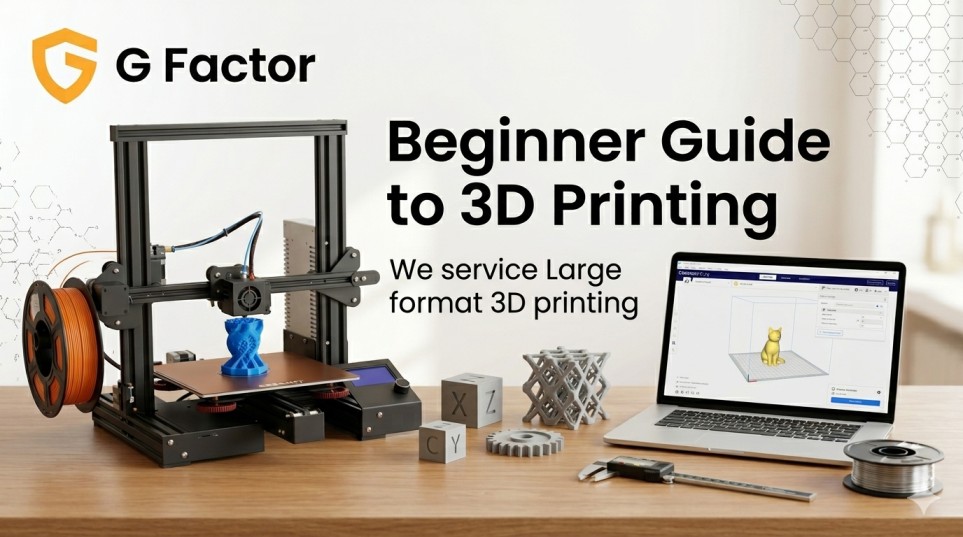
If you’ve been curious about 3D printing but don’t know where to begin, you’re in exactly the right place. This beginner guide to 3D printing breaks down everything from the basic science of how a printer builds a part layer by layer, to the real differences between desktop hobby machines and industrial-grade systems used in aerospace and automotive manufacturing. By the end, you’ll understand which technology fits your needs, what materials to consider, and what realistic costs look like — without the jargon overload.
What Is 3D Printing? A Plain-Language Definition
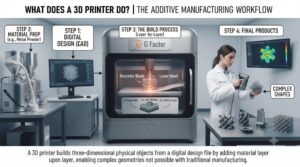
3D printing — also called additive manufacturing — is the process of building a three-dimensional object by depositing material layer by layer, guided by a digital design file.
Unlike traditional subtractive manufacturing (where you cut, drill, or mill material away), 3D printing adds material only where it’s needed. This eliminates significant waste, reduces tooling costs, and makes complex geometries achievable without expensive molds or machining.
The process starts with a 3D model, typically a .STL or .OBJ file created in CAD software or downloaded from an online library. That file is sliced into hundreds or thousands of horizontal layers by slicing software, which sends movement and temperature instructions to the printer. The machine then builds the part from the bottom up, one layer at a time.
How Does 3D Printing Work? The Core Process Explained
Regardless of which 3D printing technology you use, the workflow follows a consistent pattern:
- Design — Create or download a 3D model (CAD software like Fusion 360, SolidWorks, or free tools like Tinkercad)
- Slice — Import the model into slicing software (Cura, PrusaSlicer, Simplify3D) which converts it into printable layers
- Configure — Set parameters: layer height, print speed, nozzle temperature, infill percentage, supports
- Print — Send the file to the printer; it builds the part automatically
- Post-process — Remove supports, sand, paint, or cure the finished part as needed
The print quality, speed, and material options depend entirely on the technology type your printer uses — which brings us to the most important decision for any beginner.
FFF vs FGF: The Two Main 3D Printing Technologies You Need to Understand
Most industrial and commercial 3D printers fall into two broad camps: FFF (Fused Filament Fabrication) and FGF (Fused Granular Fabrication). Understanding the difference is foundational.
What Is FFF (Fused Filament Fabrication)?
FFF — sometimes marketed under the brand name FDM (Fused Deposition Modeling, a trademark of Stratasys) — is the most widely recognized 3D printing process. It works by feeding a spool of plastic filament (a thin thread, typically 1.75mm in diameter) through a heated nozzle that melts and deposits the material onto a build platform.
How FFF works:
- Filament spool loads onto the printer
- A motorized extruder pushes filament into a hot end (nozzle)
- The nozzle melts the filament and traces the part cross-section layer by layer
- Each layer fuses to the one below as it cools
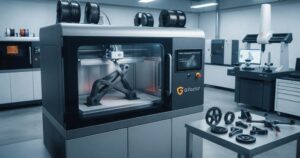
FFF printers range from desktop hobby units to large-format industrial machines. GFac’s FFF filament printer series includes models from the entry-level G220 (220×220×250mm build volume) up to the GM1000 with a full 1000×1000×1000mm build volume — enough to print automotive bumper sections or large architectural components in a single run.
FFF advantages:
- Lower entry cost
- Wide material availability
- Easier post-processing
- Suitable for precision parts and prototypes
FFF limitations:
- Filament costs more per kilogram than pellet equivalents
- Speed limited by filament feed rate
- Very large parts require multi-session prints or seam management
What Is FGF (Fused Granular Fabrication)?
FGF is a process that uses raw plastic pellets (granules) instead of pre-manufactured filament spools. Pellets feed directly into a screw extrusion system inside the print head, where they’re melted and pushed through a large-diameter nozzle.
This is the technology behind industrial-scale 3D printing — the kind used to produce automotive molds, ship hull components, museum sculptures, and full-scale architectural facades.
[Image Suggestion: FGF pellet extrusion head close-up showing screw mechanism and nozzle output]
GFac’s FGF granular printing systems use a self-developed melting system and proprietary screw extrusion technology that supports nozzle diameters from 0.4mm all the way to 16mm, with build volumes reaching 3000×2000×1000mm on the JS-FGF-HM-3000 — one of the largest commercially available FGF systems in Asia.
FGF advantages:
- Significantly lower material cost (pellets cost 30–60% less than filament per kg)
- Much higher deposition rates — suited for large volumes fast
- Same pellet materials used in injection molding (easy sourcing)
- Nozzle diameters support everything from fine detail to rapid bulk deposition
FGF limitations:
- Higher machine cost
- Less suited for small precision parts
- Post-processing (sanding, milling) often required for surface finish
FFF vs FGF Comparison Table
| Feature | FFF (Filament) | FGF (Granular/Pellet) |
|---|---|---|
| Material Form | Spooled filament (1.75mm / 3.5mm) | Plastic pellets / granules |
| Material Cost | Higher per kg | Lower per kg (30–60% savings) |
| Print Speed | Moderate | High |
| Build Volume | Up to 1000×1000×1000mm | Up to 3500×2400×1000mm |
| Nozzle Diameter | 0.3mm – 2.0mm | 0.4mm – 16mm |
| Layer Resolution | 0.05 – 0.4mm | Coarser (trade-off for speed) |
| Best For | Prototypes, precision parts, R&D | Large molds, industrial parts, sculptures |
| Post-Processing | Minimal | Often required (sanding, machining) |
| Typical Industries | Product design, education, medical | Automotive, aerospace, marine, furniture |
| Entry Cost | Lower | Higher |
3D Printing Materials: What Should Beginners Choose?
Material choice affects everything — mechanical strength, heat resistance, flexibility, cost, and printability. Here’s what you need to know as a beginner.
FFF Filament Materials
Explore the full FFF filament materials range
PLA (Polylactic Acid)
- Print temperature: 190–230°C
- Tensile strength: 40–60 MPa
- Best for: prototypes, cultural/creative objects, education
- Why choose it: easiest material to print, minimal warping, bio-based and biodegradable
- Limitation: low heat resistance (~60°C)
ABS (Acrylonitrile Butadiene Styrene)
- Print temperature: 220–270°C
- Tensile strength: >43 MPa
- Best for: automotive components, housings, bicycle helmets
- Why choose it: heat-resistant, tough, low odor in quality formulations
- Limitation: prone to warping; enclosed printer chamber recommended
PETG (Polyethylene Terephthalate Glycol)
- Print temperature: 220–250°C
- Tensile strength: >51 MPa
- Best for: food-safe containers, medical models, automotive parts
- Why choose it: excellent balance of strength, flexibility, and chemical resistance; waterproof
- Limitation: slightly stringy; requires fine-tuned retraction settings
PLA-CF (Carbon Fiber Reinforced PLA)
- Print temperature: 190–220°C
- Tensile strength: 65 MPa
- Best for: structural parts, jigs, fixtures, tooling
- Why choose it: strongest PLA variant, excellent stiffness, doesn’t warp easily
- Limitation: abrasive — requires hardened steel nozzle
Expert tip: Beginners should always start with PLA. It’s forgiving, affordable, and prints well on most machines without an enclosure. Once you understand your printer’s behavior, move to PETG, then ABS or engineering materials.
FGF Pellet Materials
Explore the full FGF pellet materials range
For industrial FGF systems, common pellet materials include:
| Material | Key Properties | Typical Application |
|---|---|---|
| ABS Pellets | Impact-resistant, durable | Automotive, housings |
| TPU Pellets | Flexible, elastic | Seals, grips, soft components |
| PC+CF | High strength, rigid | Structural aerospace parts |
| PA+GF (Nylon+Glass Fiber) | Heat-resistant, stiff | Underhood automotive, tooling |
| PP+GF | Chemical resistant | Marine components, containers |
| PETG Pellets | Balanced, waterproof | General industrial |
| PESU+CF | High-performance engineering | Aerospace, defense |
| PPS+CF | Extreme chemical/heat resistance | Chemical industry, aerospace |
Understanding Print Quality: Layer Height, Infill, and Speed
Three settings control most of what you see in a finished 3D print.
Layer Height
Layer height is the thickness of each deposited layer, measured in millimeters. Lower layer heights (0.05–0.1mm) produce smoother surfaces but take longer. Higher layer heights (0.2–0.4mm) print faster with a more visible layer texture.
Most beginners start at 0.2mm — a practical balance of speed and quality.
Infill Percentage
Infill refers to the internal structure of a print. At 0% infill, the part is hollow (just walls). At 100%, it’s solid plastic. Most functional parts use 15–40% infill with geometric patterns (gyroid, honeycomb, grid) that maximize strength-to-weight ratio.
Print Speed
Print speed is how fast the nozzle moves while depositing material. Faster speeds reduce print time but can reduce adhesion between layers and cause surface defects. GFac FFF printers support speeds from 30–500mm/s depending on the model and material.
What Can You Actually Make with a 3D Printer?
This is where 3D printing gets genuinely exciting. The range of real-world applications has expanded well beyond hobby figurines.
Prototyping and Product Development
Engineers use 3D printing to produce functional prototypes in days instead of weeks. Testing a new bracket design? Print it in ABS, stress-test it, and iterate — all before commissioning an injection mold that might cost $20,000–$100,000.
Automotive Industry
Large-format FFF and FGF systems produce custom body panels, bumper tooling, interior trim prototypes, and end-use jigs. Automotive manufacturers use GFac’s industrial 3D printing solutions to compress development cycles and reduce tooling costs significantly.
Aerospace
Lightweight composite-infused parts (PC+CF, PESU+CF) are used for interior cabin components, autoclave molds, and ground support equipment. The ability to print large geometries without welding or machining multiple pieces together is a significant structural advantage.
Architecture and Construction
Architects use large-format printers to produce 1:1 scale facade elements, irregular curtain wall sections, and detailed site models. FGF systems’ ability to handle PP+GF and ABS at volumes exceeding 3 cubic meters enables production of full-scale building components.
Medical and Healthcare
Anatomical models from patient CT scans help surgeons plan complex procedures. Custom prosthetic sockets, orthotic inserts, and surgical guides are produced faster and cheaper than traditional fabrication methods. According to research published by the National Institutes of Health, 3D-printed anatomical models improve surgical planning accuracy and reduce operating time.
Sculpture and Art
Large-format FGF printing has opened a new era for artists and exhibition designers. Sculptures that previously required weeks of foam carving and coating can be printed directly in ABS or PLA, then finished with traditional techniques. Museum installations, themed event props, and branded retail displays are produced at scale.
How Much Does 3D Printing Cost? A Realistic Breakdown
Cost is one of the most common questions beginners ask — and one of the most poorly answered in generic articles. Here’s an honest look.
Desktop / Entry-Level FFF Printers
- Machine cost: $200–$2,000 USD
- Filament cost: $15–$40 per kg (PLA); $20–$60 per kg (engineering materials)
- Best for: hobbyists, students, small business prototyping
Professional Mid-Range FFF Printers
- Machine cost: $3,000–$30,000 USD
- Use cases: consistent production runs, larger parts, engineering materials
- GFac models like the G610 and G500pro sit in this category
Large-Format Industrial FFF Printers
- Machine cost: $30,000–$100,000+ USD
- Filament cost: $20–$80 per kg
- Machines like the GM1000 serve manufacturers needing 1m³ build volumes
Industrial FGF Pellet Systems
- Machine cost: $50,000–$500,000+ USD depending on build volume
- Pellet cost: $2–$15 per kg (significantly lower than filament)
- The pellet cost savings at scale often justify machine investment within 12–24 months
- GFac’s JS-FGF series ranges from compact 800×600×800mm systems to the 3500×2400×1000mm JS-FGF-HM-2435
Cost reality check: For manufacturers producing large parts repeatedly, the switch from filament to pellet-based FGF printing typically reduces material costs by 40–60%. The lower cost-per-kilogram of industrial pellets (which are the same raw materials used in injection molding) can represent significant savings at production volumes.
Common Beginner Mistakes (And How to Avoid Them)
Learning 3D printing involves a lot of trial and error. These are the mistakes that trip up almost every beginner.
1. Skipping bed leveling
An unlevel print bed means your first layer won’t adhere properly — and without a good first layer, nothing above it will either. Always level your bed (manually or using the auto-leveling feature on models like the G500pro and G300pro) before every print.
2. Printing too fast with new materials
Every material has an optimal speed range. Printing ABS at 300mm/s will produce poor layer bonding and warping. Slow down, especially when learning a new material.
3. Ignoring enclosure requirements
ABS and many engineering materials require a closed, temperature-controlled environment to prevent warping during printing. Open-frame printers work for PLA; they struggle with anything requiring higher ambient temperatures.
4. Using the wrong nozzle for abrasive materials
Carbon fiber and glass fiber-reinforced materials will wear out a standard brass nozzle within hours. Always use a hardened steel or ruby-tipped nozzle for filled materials.
5. Not accounting for shrinkage
Most plastics shrink slightly as they cool. For precision parts with tight tolerances, you need to test and compensate in your slicer settings or CAD model.
6. Underestimating post-processing time
The printer produces a raw part. Getting to a finished, presentable component often requires support removal, sanding, priming, and painting. Factor this into your project timeline.
Choosing the Right 3D Printer: A Decision Framework
Use this framework to narrow down what type of machine fits your situation.
Step 1: Define your largest part size
Build volume is the first hard constraint. If you need to print objects larger than 500×500×500mm, you’re already in large-format territory.
Step 2: Identify your production volume
One-off prototypes → FFF filament system
Regular production runs of large parts → FGF pellet system
Step 3: Determine your material requirements
Standard plastics (PLA, ABS, PETG) → Any FFF printer
Engineering materials (PA+GF, PC+CF, PESU+CF) → High-temp FFF or FGF
Ultra-performance (PPS+CF, PESU+CF at high volumes) → Industrial FGF
Step 4: Consider post-processing capability
If surface finish is critical and you lack machining equipment, FFF with smaller nozzles produces better as-printed surfaces. FGF produces faster output but typically requires more post-processing.
Step 5: Calculate total cost of ownership
Don’t evaluate machines on purchase price alone. Include: material costs per kg, maintenance requirements, operator training, and software/support.
Contact the GFac team if you want a guided recommendation based on your specific application and production requirements.
GFac’s 3D Printer Lineup: From Desktop to Ultra-Large Industrial
Learn more about GFac’s full product range
GFac manufactures and supplies both FFF filament and FGF pellet printing systems, covering the full spectrum from entry-level desktop printers to 16-tonne ultra-large hybrid additive/subtractive machines.
FFF Series highlights:
- G220 — Entry-level desktop, 220×220×250mm, ideal for beginners and education
- G300pro / G500pro — Auto-leveling mid-range machines for small business and prototyping
- G610 — 600×600×1000mm industrial filament printer with servo motors
- GM1000 — 1-cubic-meter large format in 1.75mm and 3.5mm filament variants
FGF Series highlights:
- JS-FGF-800Pro — Compact industrial entry point, 800×600×800mm
- JS-FGF-1200 / 1800Pro — Mid-range production machines
- JS-FGF-AM-2420 — Large series with automatic feeder, 2400×2000×1350mm
- JS-FGF-HM-2435 — 3500×2400×1000mm, 11-tonne industrial powerhouse
- JS-FGF-3000 — Molding specialist, 3m×2m×1m
- JS-FGF-HM-3000 — Hybrid additive + subtractive, 16-tonne, 450°C nozzle
Explore GFac’s FGF systems | Explore GFac’s FFF systems
3D Printing Industry Standards and What They Mean for Buyers
When evaluating industrial 3D printing equipment, look for alignment with established standards. ASTM International’s F42 Committee on Additive Manufacturing Technologies sets globally recognized standards for 3D printing processes, materials, and terminology. ISO/ASTM 52900 provides the standard vocabulary for additive manufacturing — useful when comparing specs across manufacturers.
For aerospace applications specifically, NASA’s additive manufacturing guidelines and ASTM F3122 govern testing requirements for additively manufactured metal and polymer parts.
Understanding these standards helps buyers evaluate whether a machine supplier is building to internationally recognized quality benchmarks.
FAQ: Beginner Questions About 3D Printing Answered
Q1: What is the easiest material to start with in 3D printing?
PLA (Polylactic Acid) is universally recommended for beginners. It prints at low temperatures (190–230°C), doesn’t require a heated enclosure, produces minimal odor, and rarely warps. It’s available in dozens of colors and is bio-based.
Q2: What’s the difference between FFF and FDM 3D printing?
They’re the same process. FFF (Fused Filament Fabrication) is the open, generic term. FDM (Fused Deposition Modeling) is a trademark owned by Stratasys. Most consumer and industrial printers use the FFF label to describe the filament-melting, layer-by-layer process.
Q3: How long does a 3D print take?
Print time depends on part size, layer height, infill, and print speed. A small figurine might take 2–4 hours. A large automotive component on an industrial FFF printer might take 24–72 hours. FGF pellet printers at high deposition rates can produce large parts significantly faster than filament machines.
Q4: What file format do 3D printers use?
Most 3D printers accept .STL and .OBJ files. These are generated by CAD software or downloaded from model libraries. Some newer machines also accept 3MF format, which carries additional data like color and material information.
Q5: What is infill in 3D printing?
Infill is the internal structure of a 3D-printed part. It’s expressed as a percentage — 0% means hollow, 100% means completely solid. Most functional parts use 15–40% infill with a geometric pattern (grid, honeycomb, gyroid) for optimal strength-to-weight ratio.
Q6: Can 3D printers use recycled plastic?
Yes. FGF pellet systems, in particular, can use recycled and regrind pellets, making them attractive for manufacturers focused on material sustainability. Standard injection molding regrind is often compatible with FGF extrusion systems.
Q7: What industries use large-format 3D printing?
Large-format 3D printing serves automotive, aerospace, marine and shipbuilding, architecture, furniture, medical, sculpture and art, and display/events industries. GFac’s systems are deployed across all eight of these sectors in Asia-Pacific.
Q8: How is FGF printing different from injection molding?
Both use similar raw pellet materials. Injection molding requires expensive steel molds and is optimized for high-volume identical parts. FGF 3D printing requires no tooling, supports design changes without mold modification, and is optimized for low-to-medium volume production of large or complex geometries.
Q9: What is the maximum build volume available in commercial 3D printers?
Industrial FGF systems reach build volumes of 3500×2400×1000mm (GFac JS-FGF-HM-2435) or 3000×2000×1000mm (JS-FGF-3000 and JS-FGF-HM-3000). These are among the largest commercially available polymer 3D printing platforms in Asia.
Q10: Do I need special software to operate a 3D printer?
Yes. You need slicing software to convert your 3D model into printer instructions. Common options include Ultimaker Cura (free), PrusaSlicer (free), and Simplify3D (paid). Industrial machines typically include proprietary or CNC control systems. GFac printers support STL and OBJ files and ship with capacitive touchscreen interfaces.
Key Takeaways
- 3D printing = additive manufacturing — building parts layer by layer from a digital file
- FFF uses filament spools; best for precision parts, prototypes, and detail work
- FGF uses pellets; best for large-scale production, industrial molds, and cost efficiency
- Start with PLA if you’re new — it’s the most forgiving and widely supported material
- Layer height, infill, and speed are the three settings that control quality and time
- Cost scales with machine size — from $200 desktop units to $500,000+ industrial systems
- FGF pellet materials cost 40–60% less per kg than equivalent filament, creating real savings at production scale
- Industry applications span automotive, aerospace, medical, architecture, marine, sculpture, and more
- Standards like ASTM F42 and ISO/ASTM 52900 provide the technical vocabulary and benchmarks for serious buyers
Ready to Go Beyond the Basics?
Whether you’re evaluating your first 3D printer for a product development team, or looking at large-format FGF systems for industrial production, the right choice comes down to your specific geometry requirements, material needs, and production volumes.
GFac’s engineering team works with manufacturers, designers, and enterprises across Asia to match the right printing technology to real production challenges. With 15+ printer models, 60+ supported materials, and systems spanning desktop to 3-meter industrial scale, there’s a configuration for almost every application.
Contact the GFac team to discuss your requirements, request machine specifications, or arrange a demonstration.